Comparison 01
1. Premium Coffee Packaging


Both models create and edit images. Flare is designed for faster drafts and variations. Sunburst is intended for work that needs more detail or closer edit control. Compare the same tasks below.
Compare real workflows, prompts, and image results.

| Topic | GPT Image 2.5 Flare | GPT Image 2.5 Sunburst |
|---|---|---|
| Model focus | Fast, everyday image generation | More detail and closer control over edits |
| Text-to-image | Yes | Yes |
| Existing-image editing | Yes | Yes |
| Multiple reference images | Yes | Yes |
| Quality options | Low, Medium, High, XHigh, Max, Auto | Low, Medium, High, XHigh, Max, Auto |
| What to test | Speed, prompt adherence, iterative variations | Material detail, reference fidelity, localized editing |
| Current site credit schedule | Same schedule as Sunburst | Same schedule as Flare |
A practical way to think about it: Use Flare to explore directions. Try Sunburst when fine detail or a focused edit matters more. Test both with your own brief before choosing one for a larger project.
How we compared the models
Flare and Sunburst received the same prompt for each example. Image editing and two-reference tests also used the same input images. The observations below apply to these displayed results; another prompt or generation may produce a different outcome.
Side-by-side outputs show where the speed-oriented and detail-oriented GPT Image 2.5 options differ under the same prompts and inputs.
Comparison 01
Comparison 02
Comparison 03
Result notes
Each observation refers to the images displayed above.
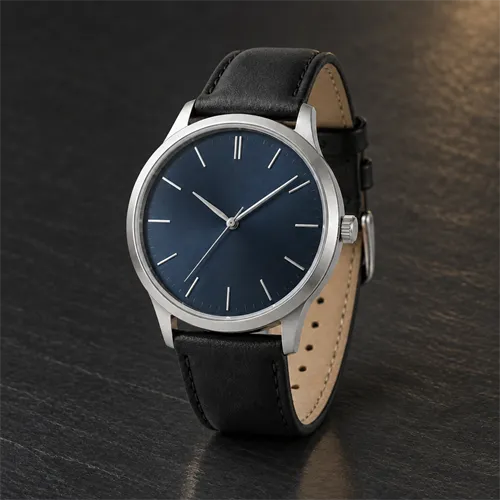
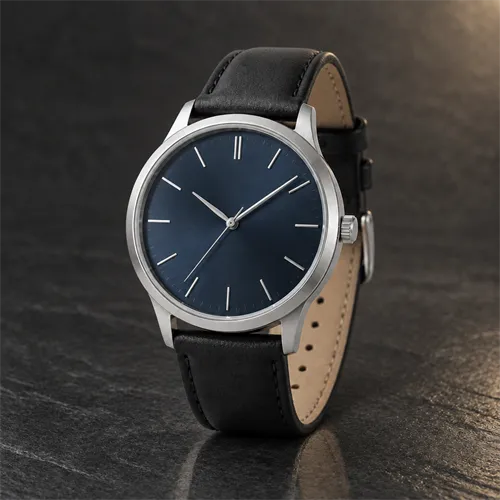
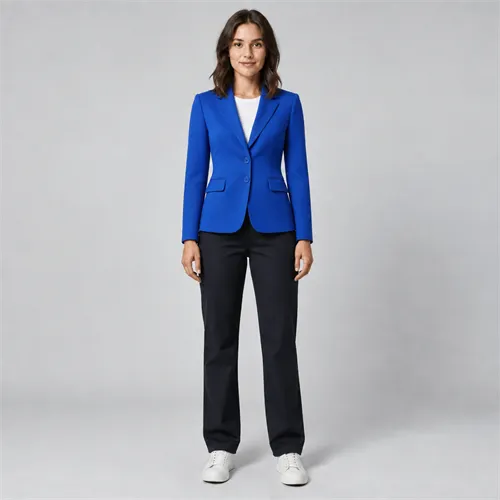
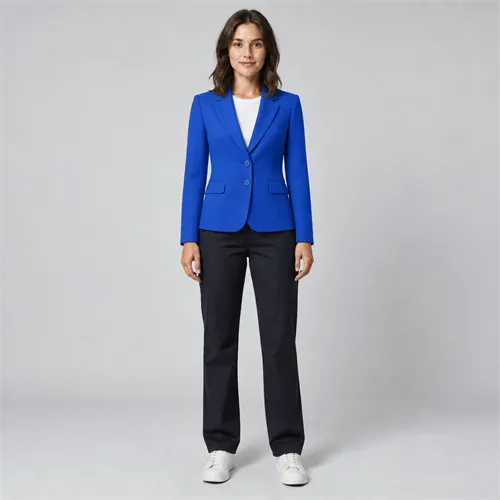
In these examples, Sunburst followed more of the requested details.
Flare was more conservative; Sunburst was more complete.
The difference was modest.
In the displayed outfit result, Sunburst retained more clothing detail.
Choose according to the task.
These observations describe the displayed runs rather than a universal model ranking.
Flare is the speed-oriented GPT Image 2.5 option. Actual generation time also depends on the prompt, references, size, quality, queue, and service conditions. Treat displayed timings as examples, not guarantees.
Inspect fine textures, edges, labels, and shadow transitions at the same display size. A visually attractive image is not automatically more faithful to the prompt.
Compare only the requested changes against the original. Check what each model preserved, what it modified, and whether the output remains useful for the intended workflow.
Read every word and check object placement. Do not judge typography solely by the overall appearance of a thumbnail.
Start with quick visual ideas, moodboards, product concepts, or campaign variations. Find a direction before spending more time on fine adjustments.
When you need a closer look at material detail or a controlled revision, try the same brief in Sunburst. Preserve the important features of the reference and compare the result with your existing image.
Save the original prompt and reference files. Change one variable at a time so you know whether a difference came from the model, the prompt, or the output settings.
This website currently uses the same credits-per-image schedule for both models. Check the amount displayed in the generator before submitting.
| Quality | Flare | Sunburst |
|---|---|---|
| Low | 2 credits | 2 credits |
| Medium | 5 credits | 5 credits |
| High | 13 credits | 13 credits |
| XHigh | 25 credits | 25 credits |
| Max | 50 credits | 50 credits |
| Auto | 25 credits | 25 credits |
New accounts receive 5 signup credits—enough for one Medium generation or up to two Low generations under the current schedule.
Create your next image
Begin with a brief you care about. Try Flare, inspect the output, then run the same inputs in Sunburst when the task calls for closer control.
Try GPT Image 2.5Common questions
Find quick answers about model capabilities, image workflows, and choosing the right option for your project.
No. They are two model options in the GPT Image 2.5 family, with different optimization goals.
Flare is designed for faster everyday generation. Actual timings vary by task and settings.
Not for every prompt. Compare your intended task and review details that matter to you.
Yes. Both accept image inputs. The available upload controls depend on the website implementation.
The site's current quality-based schedule is the same for both. Confirm the live cost before generating.
You can reuse a prompt and source files. Save them before switching, and confirm any options that may not carry over automatically.