Comparison 01
1. Premium Coffee Packaging
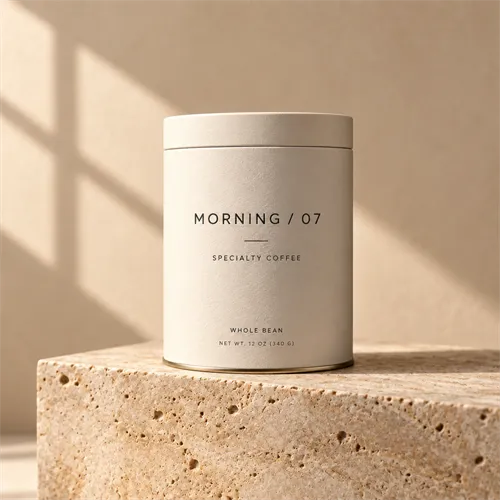
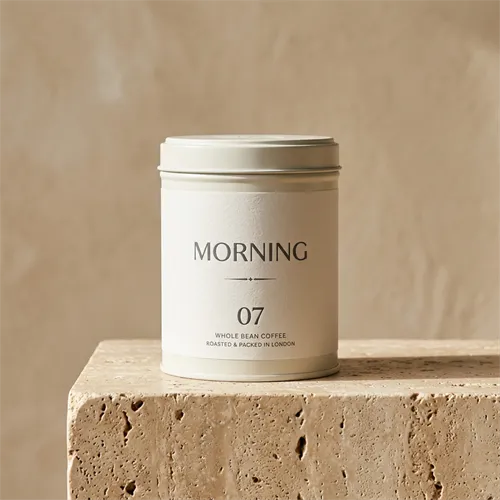
Compare both models with the same prompts and reference images. Review a new image, a focused edit, and a two-reference outfit change. Then inspect the details that matter to your project.
Compare real workflows, prompts, and image results.

Both model families create and edit images from text and image inputs. GPT Image 2.5 offers Flare for speed and Sunburst for closer edit control. Nano Banana 2 is Google's Gemini 3.1 Flash Image. Search grounding may be available in supported Google products, but it is not part of this site's generator.
| What to compare | GPT Image 2.5 | Nano Banana 2 |
|---|---|---|
| Model family | GPT-Image-2.5 Flare / Sunburst | Gemini 3.1 Flash Image |
| Text-to-image | Supported | Supported |
| Image editing | Supported | Supported |
| Multiple image inputs | Supported | Supported |
| Workflow emphasis | Flare for faster exploration; Sunburst for tighter editing control | General image generation and editing; some Google products also support Search grounding |
| Output sizes | Flexible model-supported sizes; check available site controls | Model supports 0.5K, 1K, 2K and 4K options |
| Real-world search grounding | Not available in this site's GPT Image 2.5 generator | Available in supported Google products |
| Website availability | Try the GPT Image 2.5 generator on this site | Not available in this site's generator |
What matters most: Compare results from the same inputs. A model that works well for a poster may perform differently on a focused edit or clothing reference.
This site currently provides GPT Image 2.5 generation. You can try the GPT Image 2.5 generator with your own prompt and references.
How we compared the models
GPT Image 2.5 Sunburst and Nano Banana 2 received the same prompt for each example. The image editing and outfit tests also used the same input images. The conclusions are limited to the results shown here; performance can change with another prompt, setting, or generation.
The same prompts and reference images reveal how each model handles readable text, focused product edits, and two-image outfit composition.
Comparison 01
Comparison 02
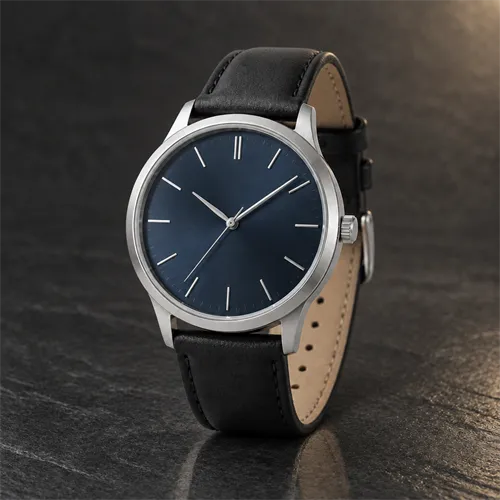
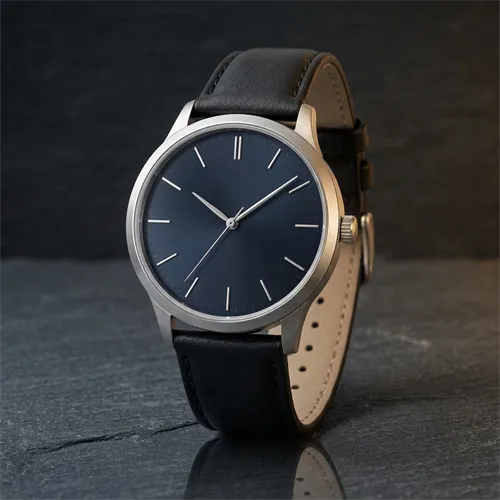
Comparison 03
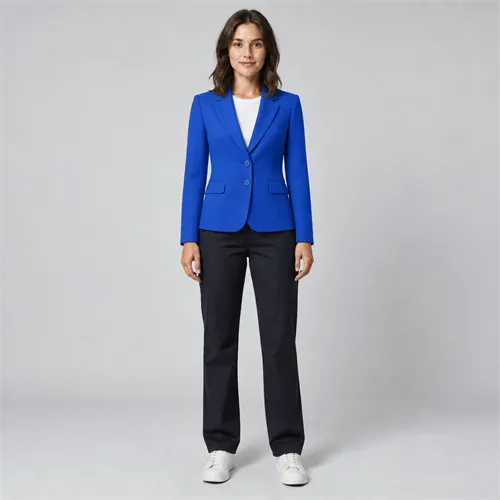
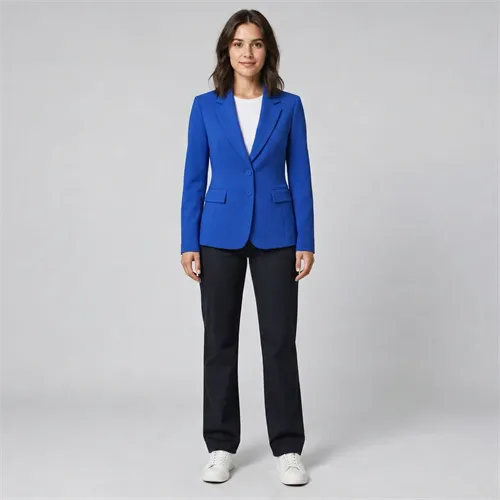
Result notes
Each observation refers to the images displayed above.
Across these examples, Sunburst followed more of the requested constraints.
In this packaging example, Sunburst matched the requested label more closely.
In the displayed watch edit, Sunburst kept the change closer to the requested area.
In this outfit example, Sunburst retained more detail from the references.
Both were usable for different goals.
These observations describe the displayed runs rather than a universal model ranking.
Inspect the texture of paper, fabric, metal, and glass. Check whether a product keeps its shape, labels, and recognizable details.
Read every word in the output. An attractive layout is not enough if the wording changes or the text becomes unreadable.
Look for unintended changes outside the requested region, especially faces, backgrounds, object placement, and lighting.
The final composite should look like one photograph. The subject should remain recognizable, and the clothing should retain important details from the garment reference.
Record real generation times and the actual cost under your chosen provider. Do not assume equal quality labels, identical pricing units, or universal speed differences between platforms.
Start with your own prompt and settings. For focused edits, check whether each model preserves the details you asked it to keep. If you need Search grounding, confirm that the Google product you use supports it.
Ready to make your own comparison? Start with GPT Image 2.5 and reuse the prompts above.
Create your next image
Choose a prompt, upload a reference if needed, and see how GPT Image 2.5 handles your creative brief. The generator shows the available settings and credit cost before you submit.
Try GPT Image 2.5Common questions
Find quick answers about model capabilities, image workflows, and choosing the right option for your project.
Yes. Both models support image-input workflows. Results depend on the source image, prompt, and settings.
Both model families support multiple image inputs. Use a clear role for each reference and describe which details to keep unchanged.
This page links to the GPT Image 2.5 generator. A Nano Banana 2 comparison output does not mean that this website offers Nano Banana 2 generation.
No single example establishes a universal result. Inspect the outputs for the specific task, and repeat important tests when consistency matters.
The test card should identify whether the output uses Flare or Sunburst. Visit the Flare vs Sunburst comparison for an explanation of these options.