A polished magazine cover combining portrait photography with controlled, readable typography.
GPT Image 2.5
GPT Image 2.5 Sunburst AI Image Generator
Create detailed images or make focused edits with GPT Image 2.5 Sunburst. Start with a prompt or an uploaded image, then describe what should change and what should stay the same.
Create from a prompt, edit an image, or guide the result with references.
Try it online
Create with GPT Image 2.5 Sunburst
Start with a prompt or reference image, then use Sunburst to create and refine your result.
What would you like to create?
Start with your own images or create something from an idea.
Reference Images Required Up to 16
0/16
Required
Describe what you want to change and what should stay the same.
0 / 4,000
Choose your result
Pick the speed, finish, and shape that best suit your image.
ModelChoose speed or richer visual detail.
Image qualityHigher resolution creates more detail and uses more credits.
Image shapeChoose the shape that fits where you plan to use the image.
More optionsBackground, file format, and content preferences
BackgroundUse Transparent for cutouts, stickers, and design assets.
File formatPNG preserves crisp details and supports transparency.
Content preferenceStandard works well for most creative requests.

Featured example
Luxury Editorial Portrait
Realistic skin, satin, glass and metallic reflections.
GPT Image 2.5 Sunburst Examples by Industry
Explore six Sunburst examples across three generation modes. Select any image to see the input references and final prompt behind the result.
A focused room update that adds new furnishings while protecting the original architecture and light.
A product and interior reference combined into a cohesive premium electronics campaign.
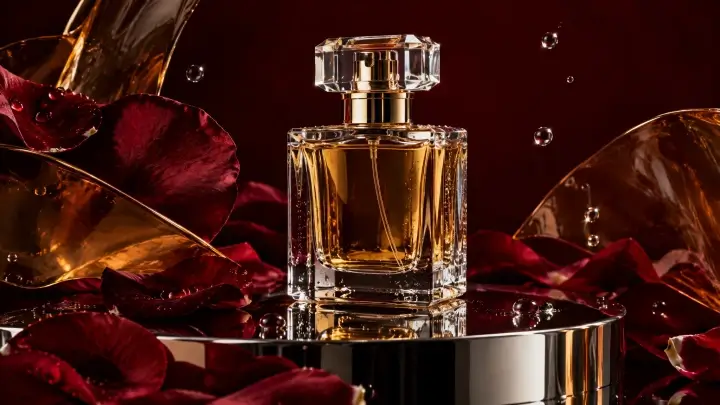
Detailed packaging, readable label text, stone texture, and balanced editorial lighting.
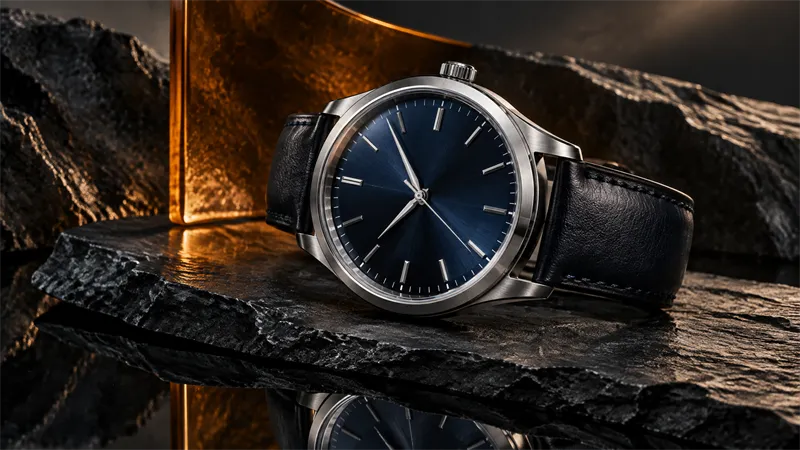
A precise background replacement that retains the watch design, material, angle, and scale.
A person and garment reference combined while retaining identity and tailoring details.
GPT Image 2.5 Sunburst Key Features
Focused Image Editing with Sunburst
When an image is almost right, keep the parts you like and focus on what needs to change. Specify the intended edit and the details to preserve before generating a new version.
Reference Image Fidelity
Use visual references for people, products, garments, and composition. Clear reference roles help guide the result without turning every iteration into a new concept.
High-Quality Product and Campaign Images
Explore polished visual directions with attention to lighting, material, texture, product shape, and composition. Inspect the output before using it as a final asset.
More Controlled Creative Iteration
Work through smaller revisions instead of replacing the entire scene. For an important edit, change one major variable at a time and review what stayed consistent.
Detailed Layout and Text-Driven Concepts
Build posters, packaging concepts, and campaign graphics from more structured prompts. Review any required text, measurements, and product details before publishing.
How to Use GPT Image 2.5 Sunburst Online
1. Start with a Prompt or Upload an Image
Describe a new image or select an existing one for editing. For reference-based work, identify the role of every source image.
2. Choose Quality and Image Size
Select from the options available in the generator. Higher settings may be useful for a demanding image but do not guarantee a better result for every prompt.
3. Specify What to Preserve
For edits, state which features must remain unchanged. This matters most with faces, labels, product geometry, and detailed clothing.
4. Generate and Review
Inspect the important details. If something is off, revise the most relevant part of the prompt instead of rewriting everything.
GPT Image 2.5 Sunburst vs Flare
Both models accept text and image inputs. Choose Flare for faster drafts and variations. Try Sunburst when fine detail or a focused edit matters more than speed.
Review the same prompts and source images in the Flare vs Sunburst comparison.
| Your workflow | Sunburst | Flare |
|---|---|---|
| Precise revisions | Detailed images and focused edits | Supports editing and reference images |
| Rapid ideation | Useful for detailed work, but may take longer | Speed-oriented choice |
| Text-to-image and image inputs | Supported | Supported |
| Quality options | Low, Medium, High, XHigh, Max, Auto | Low, Medium, High, XHigh, Max, Auto |
GPT Image 2.5 Sunburst Credits
See the cost before generating. On this website, the selected quality setting determines the displayed credit cost; both GPT Image 2.5 model options use the same published site credit schedule.
| Quality | Credits per image |
|---|---|
| Low | 2 |
| Medium | 5 |
| High | 13 |
| XHigh | 25 |
| Max | 50 |
| Auto | 25 |
The live generator shows the required credits before you submit. View credit packs and pricing.
Create your next image
Create Detailed Images with GPT Image 2.5 Sunburst
Bring a visual brief or a source image. Generate a new direction, refine the important details, and keep working toward a result that fits your project.
Create with SunburstCommon questions
GPT Image 2.5 Sunburst FAQ
Find quick answers about model capabilities, image workflows, and choosing the right option for your project.
What is GPT Image 2.5 Sunburst?
Sunburst is the GPT Image 2.5 option for detailed images and focused edits. It accepts both text prompts and image inputs.
Can Sunburst edit an existing image?
Yes. Upload your image and describe the intended change and the details to preserve.
Can I use two reference images for an outfit change?
The model supports multiple image inputs. The exact number you can upload on this site is shown in the generator.
Is Sunburst faster than Flare?
Flare is the speed-oriented choice. Actual time depends on the prompt, reference inputs, size, quality, and service conditions.
Which quality setting should I choose?
Start with a setting that fits your image and credit budget. Review the result before increasing the quality.
Is this website affiliated with OpenAI?
No. This is an independent third-party image generation service, not affiliated with or endorsed by OpenAI.